Manage AppImages with ease 📦
https://gearlever.mijorus.it
- Python 98.1%
- Meson 1.3%
- Shell 0.4%
- CSS 0.2%
|
|
||
|---|---|---|
| .github | ||
| .vscode | ||
| build-aux | ||
| data | ||
| docs | ||
| po | ||
| src | ||
| tests | ||
| .gitignore | ||
| COPYING | ||
| gearlever.code-workspace | ||
| it.mijorus.gearlever.json | ||
| meson.build | ||
| pyrightconfig.json | ||
| python3-requirements.json | ||
| README.md | ||
| requirements.txt | ||
Gear Lever


Documentation
Features
- Integrate AppImages into your app menu with just one click
- Drag and drop files directly from your file manager
- Keep all the AppImages organized in a custom folder
- Open new AppImages directly with Gear lever
- Manage updates: keep older versions installed or replace them with the latest release
- Save CLI apps with their executable name automatically
- Modern and Fresh UI
Download
CLI
Starting from version 3.0.0, Gear Lever includes some useful command line tools to manage your AppImages. The CLI uses the same logics as the UI.
Please use flatpak run it.mijorus.gearlever --help to get an updated version of this help screen
Usage: flatpak run it.mijorus.gearlever [OPTION...]
# OR gearlever [OPTION...] if using the alias


--integrate        Integrate an AppImage file
--update           Update an AppImage file
--remove           Trashes an AppImage, its .desktop file and icons
--list-installed   List integrated apps
--list-updates     List available updates
--set-update-url   Set/Unset a custom update url
--fetch-updates    Fetch updates in the background and sends a desktop notification, used on system startup
For an improved user experience, add the following line to your .bashrc file
alias gearlever='flatpak run it.mijorus.gearlever'
Support me

Get the bundle from github (no auto-updates)
# From your Downloads folder
flatpak install --bundle --user gearlever.flatpak
Changelog
Permissions
--talk-name=org.freedesktop.Flatpak: This permission is required in order to open apps and refresh the system menu when a new app is installed; if the user disables this permission manually (eg. with Flatseal), Gear lever should continue to work normally, except you would not be able to open apps directly.
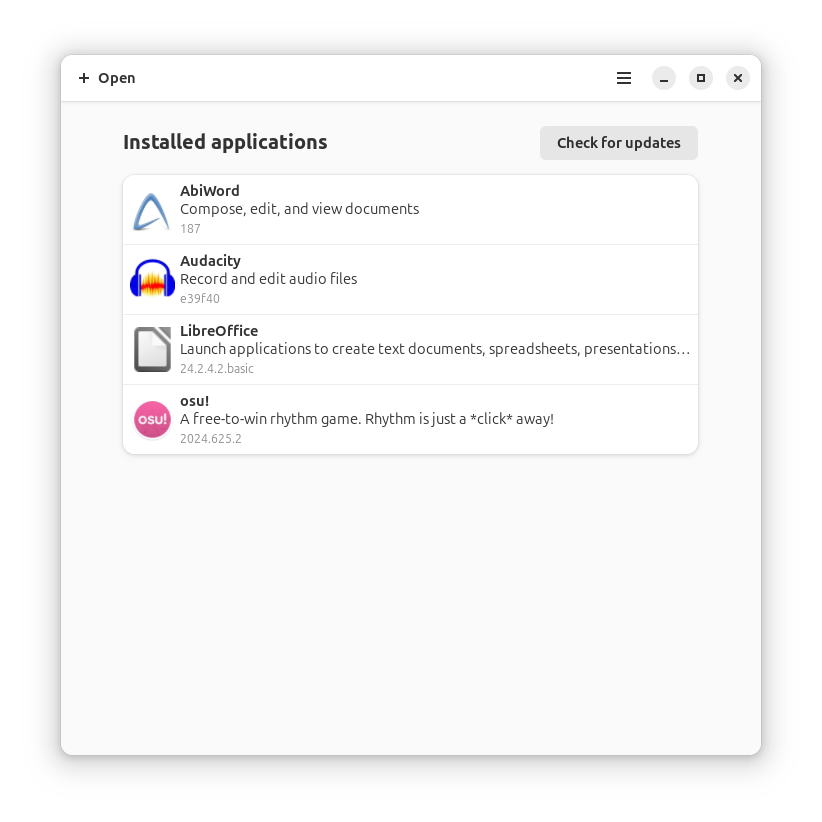
Preview
Building and running
-
Option #1 (suggested)
Open this project with Gnome Builder and press RUN (the play icon on top)
-
Option #2
# Run the app
flatpak-builder build/ it.mijorus.gearlever.json --user --force-clean
flatpak-builder --run build/ it.mijorus.gearlever.json gearlever

# Install the app
flatpak-builder build/ it.mijorus.gearlever.json --user --install --force-clean
Run CLI tests
- Download the latest release here: https://github.com/mijorus/gearlever-test-files
- Pleace if under test/
- Extract it
tar -xzvf testfiles.tar.gz - Run:
python3 -m unittest tests/test_cli.py